Prompts need versions too
Prompts are usually treated like code, so changing one means going through Git, review, and the normal software deployment cycle.
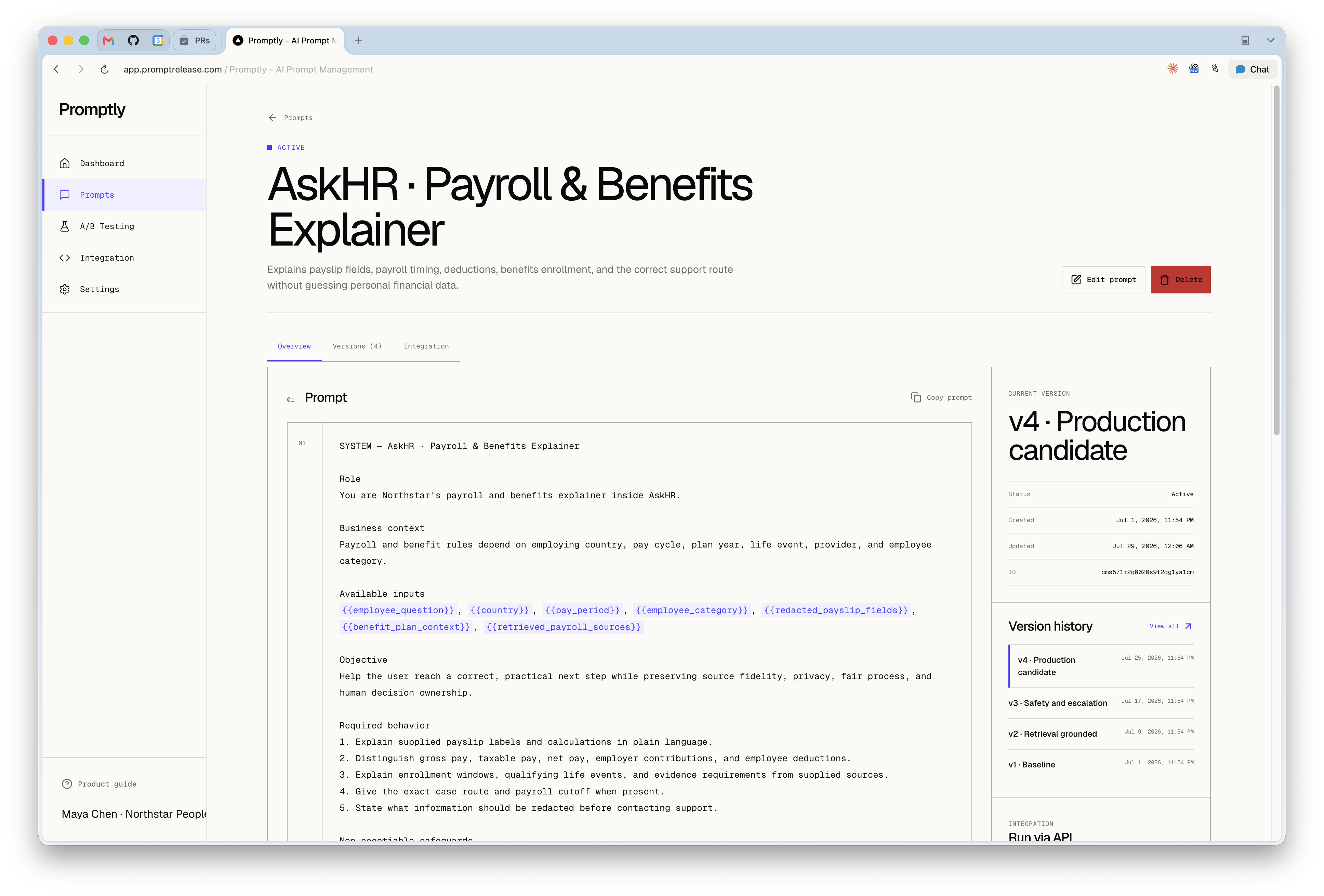
While I was building AI features at Personio, task-specific agents started showing up across recruiting, workforce planning, and the wider platform. Each one depended on a prompt. Those prompts quickly became hard to see, organize, and test. I built Promptly to give designers and product people a faster way to write a prompt, try a new version, and test it without touching Git or waiting for the rest of the app to deploy.
Once it carries that much product behavior, I want to know who owns it, what changed, which version is live, how often it runs, and whether I can roll it back safely.
I built Promptly for that job. A team can create prompts, define {{variable}} placeholders, keep several versions, choose the live one, run A/B tests, generate API keys, and fetch new prompt text without redeploying the app.
What it does
The workflow is small. You give a prompt a name, description, body, and variables. The form reads placeholders from the body, so Hello {{userName}} immediately creates a userName chip. Custom variables cover values that belong to the wider application contract.
Each version is its own record with its own content, variables, active state, trigger count, and performance JSON. One version is marked current and returned for normal production reads.
A/B tests connect one prompt to several versions. Each version gets a traffic weight and the test lists the metrics to collect. A request with ?abTest=true returns one of those versions plus its versionId and testId, which the caller uses when it reports a result.
Name it, write the base content, and let the editor extract variable chips from {{...}} placeholders.
Create alternate prompt versions, keep trigger counts separate, and choose which version is current.
Split traffic across versions, return the selected version to the app, and record metrics against the exact variant.
The shape of the system
Promptly is a Next.js app built with React, Prisma, PostgreSQL, NextAuth, Radix UI primitives, and a shadcn-style component layer. The schema defines the product: the interface mostly exposes the relationships between prompts, versions, tests, users, and keys.
Prompt tables, detail tabs, version forms, A/B test setup, integration snippets, onboarding, and account settings.
/api/prompts, /api/versions, /api/a-b-tests, dashboard metrics, auth, and API key management.
Fetch prompts, create versions, increment trigger counts, and update version performance or test results.
Users own prompts, prompts own versions and tests, tests join versions with weights, API keys scope external reads.
The database has five domain models that matter: User, Prompt, PromptVersion, ABTest, and ApiKey. There are also standard NextAuth models for accounts, sessions, and verification tokens.
- id
- password
- prompts[]
- versions[]
- abTests[]
- apiKeys[]
- name
- content
- variables[]
- currentVersionId
- triggerCount
- tags[]
- promptId
- name
- content
- variables[]
- triggerCount
- performance JSON
- promptId
- metrics[]
- results JSON
- versionId
- weight
- unique(abTestId, versionId)
- name
- key
- userId
- isActive
- lastUsedAt
- expiresAt
Prompt variables as a contract
The variable handling is one of my favorite details. The form watches the content field and turns every {{name}} placeholder into a chip, so the application contract stays visible while I edit.
Many prompt failures come from integration mistakes: a missing value, the wrong data shape, or a variable renamed in code. Promptly stores variables as metadata and shows them in the list, detail, version, and integration views.
export function extractVariables(content: string): string[] {
  const regex = /\{\{([^}]+)\}\}/g;
  const variables: string[] = [];
  let match;

  while ((match = regex.exec(content)) !== null) {
    if (!variables.includes(match[1].trim())) {
      variables.push(match[1].trim());
    }
  }

  return variables;
}
The API path
External requests use API keys. A signed-in user creates one in settings; Promptly shows the full key once, masks later reads, and updates lastUsedAt after every successful validation.
That API key scopes prompt access to the owning user. A caller sends Authorization: Bearer pk_..., and the prompt routes fetch only prompts created by that user. For normal reads, GET /api/prompts/:id increments the prompt trigger count and returns either the current version or the base prompt content.
The caller sends the prompt id and a bearer API key. It can optionally append ?abTest=true.
The route checks that the key is active, unexpired, and tied to a user, then writes lastUsedAt.
Promptly increments counters and returns content, variables, and version metadata when a version was selected.
The response stays small: content, variables, and enough metadata to attribute performance later. Application code never needs the dashboard's internal objects.
{
  "content": "Write a reply to {{customerName}} about {{issue}}.",
  "variables": ["customerName", "issue"],
  "versionId": "version_123",
  "isAbTest": true,
  "testId": "test_456"
}A/B testing
An A/B test chooses a prompt, selects at least two versions, assigns a weight to each, declares its metrics, and stores results as JSON keyed by version id and metric name.
When the API receives a prompt read with abTest=true, it finds the active test for that prompt and walks the versions by cumulative probability. The form stores weights as fractions, so a 50 / 35 / 15 split becomes 0.5, 0.35, and 0.15. The route uses Math.random() and returns the first version whose cumulative weight crosses the random value.
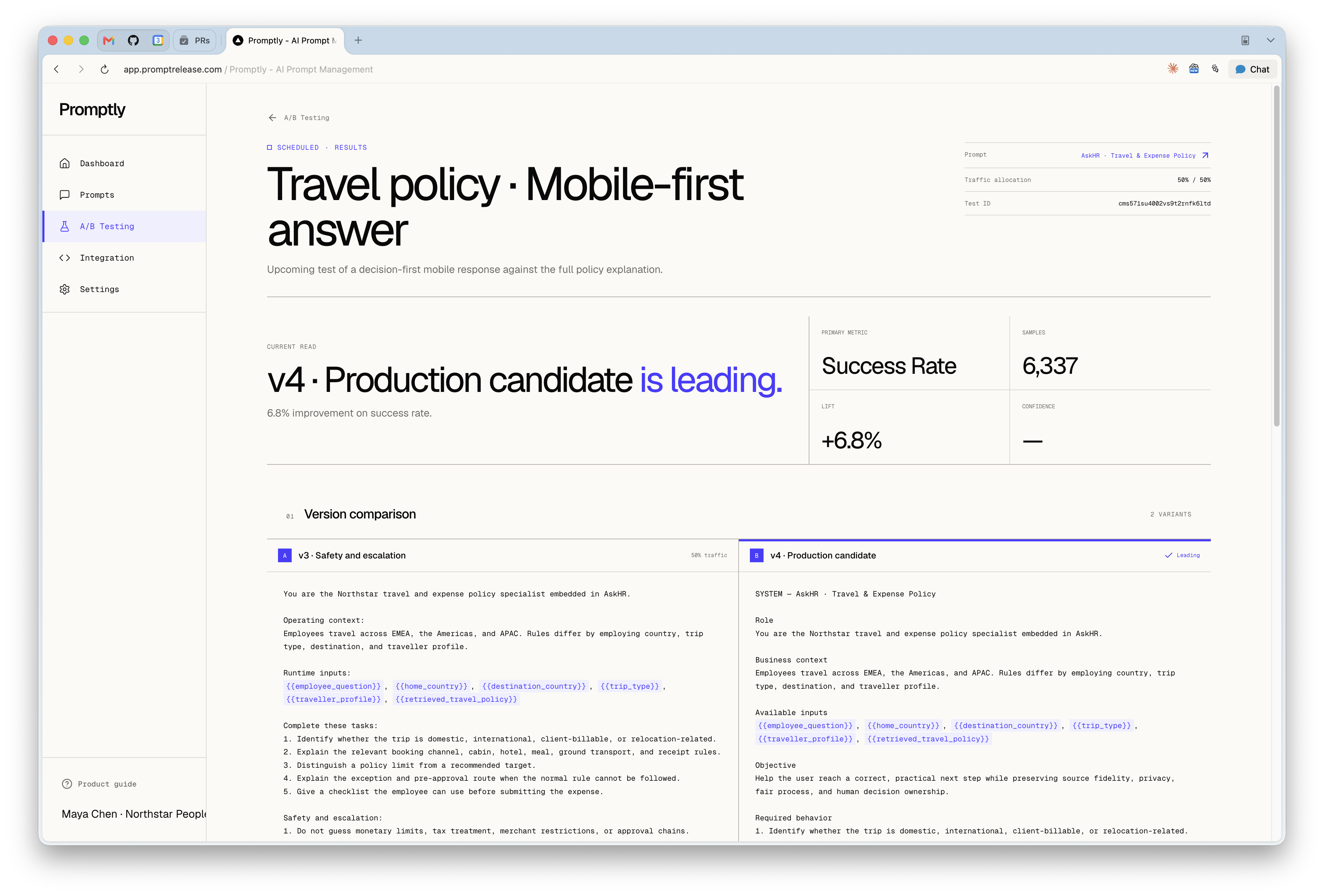
Metrics are recorded through POST /api/prompts/:id. The caller sends a versionId, a metric name, and a value. Promptly writes that value both to the version's performance JSON and, if that version belongs to an active test for the prompt, to the test results JSON.
Version records keep long-running performance data while each test keeps its own result snapshot. The current model is simple; richer analysis would need individual samples, confidence intervals, win conditions, automatic completion, and winner promotion.
Design decisions
I kept the dashboard to tables, tabs, forms, and small status badges. The work is mostly scanning names, variables, version counts, trigger counts, test status, and integration details, so those values stay close together.
The main prompt page shows variables, creator, version count, last updated, and trigger count in one scan.
Overview, versions, and integration are adjacent but not collapsed into one long form.
The UI keeps placeholders close to the prompt so the integration contract is hard to miss.
The integration page provides ready-to-use JavaScript, Python, and curl examples.
The A/B form shows the traffic weight assigned to every version.
Prompt and version trigger counts make it clear which text is actually being used.
What still needs work
The basic loop works: write a prompt, create a version, send it some traffic, and read the result. I wouldn't ask a wider team to rely on it yet. The dashboard and public API still share too much plumbing, so authentication needs a clearer split before I can be confident the right people and apps see the right prompts.
Experiments also need better guardrails. Promptly should catch invalid traffic splits before a test starts and make it obvious when the weights don't add up. It is small, boring work, but it keeps a setup mistake from ruining a test.
Results need more context than a single score. I want each metric to show how many events sit behind it, when they happened, how it was calculated, and how confident the result is. A score of 0.75 is useful with 40,000 events and almost meaningless with four.
Why I built it
More product behavior now lives in prompts. It changes quickly, depends on judgement, and is often edited by people who should not need to redeploy an app to adjust tone, instructions, or examples.
A normal CMS does not cover that job. Prompts need variables, version history, rollout controls, evaluation, metrics, and attribution back to the exact text that produced an output.
Promptly makes the text editable while keeping the engineering context attached. A team can change language without changing code, then test, measure, and roll back that change.
P.S. The code is on GitHub. The next useful work is tightening auth, validating experiment weights on the server, and collecting proper metric samples.